You are using an out of date browser. It may not display this or other websites correctly.
You should upgrade or use an alternative browser.
You should upgrade or use an alternative browser.
game server not same as client ?
- Thread starter Juum
- Start date
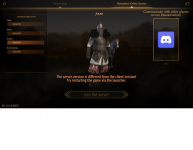

Hi Juum,
This error occured since last update, but for some people that update hasn't downloaded. You should be able to get it to work by updating it manually. make sure to follow the steps to get it to work.
Should you play in a different language, this will make it change to the English interface.
This error occured since last update, but for some people that update hasn't downloaded. You should be able to get it to work by updating it manually. make sure to follow the steps to get it to work.
If you follow these steps properly, it will update your game files to the proper version.
- Download the zip file from the WeTransfer link.; https://we.tl/t-w2i2cod4t8
- Go to your Bannerlord Online launcher folder. There should already be a numbered zip file here. Write down the number.
- This should be something like 1441855476 or 4058684187.- Replace the zip file with the one from the download and rename the zip file to the number written down in step 2.
- Manually extract the contents of the zip file to "\steamapps\common\Mount & Blade II Bannerlord\Modules\BannerlordOnline".
Should you play in a different language, this will make it change to the English interface.
I did everything above and now theres this problem with message -Hi Juum,
This error occured since last update, but for some people that update hasn't downloaded. You should be able to get it to work by updating it manually. make sure to follow the steps to get it to work.
If you follow these steps properly, it will update your game files to the proper version.
Should you play in a different language, this will make it change to the English interface.
Should i re-install everything somewhere else like c drive ? As ive installed bannerlord online into my windows d drive where all games are
Attachments
Unfortunately the picture isn't clear enough for me to read the error message itself.
No need to re-install Bannerlord though. The initial issue is only in the Bannerlord Online files.
No need to re-install Bannerlord though. The initial issue is only in the Bannerlord Online files.
Heres the error message - Cannot load..\..Modules\BannerlordOnline\bin\Win64_Shipping_Client\MultiplayerClient.dllUnfortunately the picture isn't clear enough for me to read the error message itself.
No need to re-install Bannerlord though. The initial issue is only in the Bannerlord Online files.
Go to the MultiplayerClient.dll file and right-click it, then choose Properties. Make sure the option "read only" is not checked. Uncheck it if needed and press OK.Heres the error message - Cannot load..\..Modules\BannerlordOnline\bin\Win64_Shipping_Client\MultiplayerClient.dll
Yes did that and found the dll file. The read only was already unchecked but there was a security check box to unblock it which disappeared after it was checked for untrusted files. That has sorted the problem and game starts on now ! Thanks for your help & this'll probably help solve a general problem !
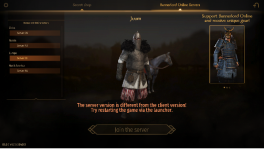
If we go with the same fix as last time, you'll likely run into the error again after next update. So let's try a different route that recently worked for someone that had the same error.
The idea is to delete everything from Bannerlord Online and then re-installing it.
The idea is to delete everything from Bannerlord Online and then re-installing it.
- Go to the folder containing the Bannerlord Online launcher and run the "unins000.exe" file.
- If still present, delete the folder the un-installer is located in.
- Go to the Bannerlord folder and delete "BannerlordOnline" from the Modules folder.
- In the Start menu, type "apps" and go to "Apps & Features". Check the list for Bannerlord Online and remove/uninstall it IF still present. This should clear out the last of the files.
- Go to Steam, right-click Bannerlord and go to Properties > Local Files > "Verify Integrity of game files..."
- Download and install Bannerlord Online again.

hi,hi, i have the same problem, just did all the steps, and still have the problem :S
what should i do?
The main game has been updated today. Perhaps your version is already outdated?